Dataset for training models
A NNDataset is a collection of MPPDatas (one for train/val/test). It is created using a parameter file defining its properties.
This notebooks shows:
how to create a dataset from parameters
how to iterate over an existing dataset
[1]:
from pathlib import Path
import os

from campa.data import NNDataset, create_dataset, load_example_data
from campa.utils import load_config, init_logging
from campa.constants import campa_config

# init logging with level INFO=20, WARNING=30
init_logging(level=30)
# ensure that example data is downloaded
load_example_data()
# read correct campa_config -- created with setup.ipynb
CAMPA_DIR = Path.cwd()
campa_config.config_fname = CAMPA_DIR / "params/campa.ini"
print(campa_config)
2022-11-25 10:35:43.172656: I tensorflow/core/platform/cpu_feature_guard.cc:193] This TensorFlow binary is optimized with oneAPI Deep Neural Network Library (oneDNN) to use the following CPU instructions in performance-critical operations:  AVX2 AVX512F AVX512_VNNI FMA
To enable them in other operations, rebuild TensorFlow with the appropriate compiler flags.
2022-11-25 10:35:44.806362: I tensorflow/core/util/util.cc:169] oneDNN custom operations are on. You may see slightly different numerical results due to floating-point round-off errors from different computation orders. To turn them off, set the environment variable `TF_ENABLE_ONEDNN_OPTS=0`.
2022-11-25 10:35:45.313484: E tensorflow/stream_executor/cuda/cuda_blas.cc:2981] Unable to register cuBLAS factory: Attempting to register factory for plugin cuBLAS when one has already been registered
Reading config from /home/icb/hannah.spitzer/projects/pelkmans/software_new/campa_notebooks_test/params/campa.ini
CAMPAConfig (fname: /home/icb/hannah.spitzer/projects/pelkmans/software_new/campa_notebooks_test/params/campa.ini)
EXPERIMENT_DIR: /home/icb/hannah.spitzer/projects/pelkmans/software_new/campa_notebooks_test/example_experiments
BASE_DATA_DIR: /home/icb/hannah.spitzer/projects/pelkmans/software_new/campa_notebooks_test/example_data
CO_OCC_CHUNK_SIZE: 10000000.0
data_config/exampledata: /home/icb/hannah.spitzer/projects/pelkmans/software_new/campa_notebooks_test/params/ExampleData_constants.py
Create NNDataset
NNDataset is created with a config file that specifies from which folders to take the data and how to preprocess the data.
Here, we will use example_data_params.py to create an example dataset and save it to DATASET_DIR/184A1_test_dataset. The following code assumes that you have a copy of this file in a folder called params in the current directory (where this notebook is stored). See create_dataset for a documentation of the data parameters.
Alternatively to this code, the NNDataset can also easily be created with the CLI (make sure that you run this command from the folder where your campa.ini file is stored, so that CAMPA knows the correct data paths):
cd CAMPA_DIR/params
campa create_dataset example_data_params.py
First, let us load the data parameters. This dataset uses data from two unperturbed and two Meayamycin perturbed wells. It contains condition labels for the perturbation (one-hot-encoded) and for the cell cycle (one-hot-encoded). All cells are used, and 10% of all pixels. It is corrected for background fluorescence signal, and percentile-normalised. It uses a neighbourhood of \(3x3\) as inputs to the cVAE.
It is going to be saved in the DATASET_DIR defined by the ExampleData data config.
[2]:
# read config from params folder in current directory.
config = load_config("params/example_data_params.py")
print(config.data_params)
{'dataset_name': '184A1_test_dataset', 'data_config': 'ExampleData', 'data_dirs': ['184A1_unperturbed/I09', '184A1_unperturbed/I11', '184A1_meayamycin/I12', '184A1_meayamycin/I20'], 'channels': ['01_CDK9_pT186', '01_PABPC1', '02_CDK7', '03_CDK9', '03_RPS6', '05_GTF2B', '05_Sm', '07_POLR2A', '07_SETD1A', '08_H3K4me3', '09_CCNT1', '09_SRRM2', '10_H3K27ac', '10_POL2RA_pS2', '11_KPNA2_MAX', '11_PML', '12_RB1_pS807_S811', '12_YAP1', '13_PABPN1', '13_POL2RA_pS5', '14_PCNA', '15_SON', '15_U2SNRNPB', '16_H3', '17_HDAC3', '17_SRSF2', '18_NONO', '19_KPNA1_MAX', '20_ALYREF', '20_SP100', '21_COIL', '21_NCL', '00_DAPI', '07_H2B'], 'condition': ['perturbation_duration_one_hot', 'cell_cycle_one_hot'], 'condition_kwargs': {'cond_params': {}}, 'split_kwargs': {'train_frac': 0.7, 'val_frac': 0.2}, 'test_img_size': 225, 'subset': True, 'subset_kwargs': {'frac': None, 'nona_condition': True, 'cell_cycle': 'NO_NAN'}, 'subsample': True, 'subsample_kwargs': {'frac': 0.1, 'frac_per_obj': None, 'num': None, 'num_per_obj': None}, 'neighborhood': True, 'neighborhood_size': 3, 'normalise': True, 'normalise_kwargs': {'background_value': 'mean_background', 'percentile': 98.0, 'rescale_values': []}, 'seed': 42}
Now we can create the dataset.
[3]:
create_dataset(config.data_params)
Use NNDataset
After creating the dataset, we can inspect it using NNDataset.
[4]:
dataset_name = "184A1_test_dataset"
ds = NNDataset(dataset_name, data_config="ExampleData")
print(ds)
NNDataset for ExampleData (shape (3, 3, 34)). train: 50310, val: 12340, test: 4541
The dataset was saved in the DATASET_DIR defined by the data_config:
[5]:
nn_dataset_fpath = os.path.join(ds.data_config.DATASET_DIR, dataset_name)
print(nn_dataset_fpath)
print(os.listdir(os.path.join(ds.data_config.DATASET_DIR, dataset_name)))
/home/icb/hannah.spitzer/projects/pelkmans/software_new/campa_notebooks_test/example_data/datasets/184A1_test_dataset
['val', 'val_imgs', 'test_imgs', 'train', 'params.json', 'test']
NNDataset consists of of a train/val/test split in NNDataset.data which is represented as MPPData objects.
[6]:
print(ds.data.keys())
print(ds.data["train"])
dict_keys(['train', 'val', 'test'])
MPPData for ExampleData (50310 mpps with shape (3, 3, 34) from 35 objects). Data keys: ['x', 'obj_ids', 'y', 'mpp', 'labels', 'conditions'].
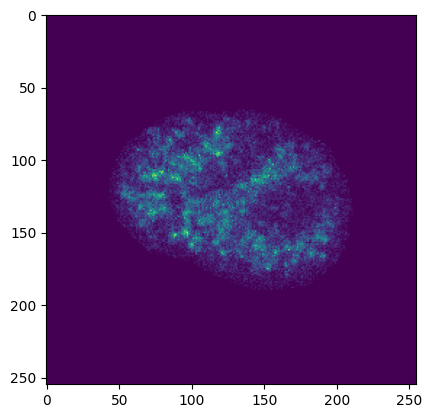
In addition, NNDataset also has val/test images in NNDataset.imgs, represented as MPPData. These objects contain all pixels from val and test cells such that we can plot images from the test and val split.
[7]:
import matplotlib.pyplot as plt

print(ds.imgs.keys())
plt.imshow(ds.imgs["test"].get_object_img(ds.imgs["test"].obj_ids[0], channel_ids=0, img_size=255)[:, :, 0])
dict_keys(['val', 'test'])
[7]:
<matplotlib.image.AxesImage at 0x7f4f3a5f2d00>
NNDataset also contains attributes x and y, which are numpy arrays for the VAE input and output. x is either the multiplexed pixel profiles (number of pixels x neighbours x neighbours x channels) or the multiplexed pixel profiles and the condition labels.
[8]:
# get x without condition
x = ds.x("val", is_conditional=False)
print(x.shape)

# get x with condition
x, c = ds.x("train", is_conditional=True)
print(x.shape, c.shape)
(12340, 3, 3, 34)
(50310, 3, 3, 34) (50310, 14)
For neural network training, we use the NNDataset.get_tf_dataset method which returns a tensorflow dataset.
[9]:
# dataset can return a tf dataset for using with e.g. keras
tf_ds = ds.get_tf_dataset(split="train", is_conditional=True)
print(tf_ds)

for x, y in tf_ds.take(1):
    # x here contains x, condition
    print(len(x), x[0].shape, x[1].shape)
    print(y.shape)
<FlatMapDataset element_spec=((TensorSpec(shape=(3, 3, 34), dtype=tf.float32, name=None), TensorSpec(shape=(14,), dtype=tf.float32, name=None)), TensorSpec(shape=(34,), dtype=tf.float32, name=None))>
2 (3, 3, 34) (14,)
(34,)
2022-11-25 10:36:08.102849: I tensorflow/core/platform/cpu_feature_guard.cc:193] This TensorFlow binary is optimized with oneAPI Deep Neural Network Library (oneDNN) to use the following CPU instructions in performance-critical operations:  AVX2 AVX512F AVX512_VNNI FMA
To enable them in other operations, rebuild TensorFlow with the appropriate compiler flags.
2022-11-25 10:36:08.717114: I tensorflow/core/common_runtime/gpu/gpu_device.cc:1616] Created device /job:localhost/replica:0/task:0/device:GPU:0 with 30975 MB memory:  -> device: 0, name: Tesla V100S-PCIE-32GB, pci bus id: 0000:37:00.0, compute capability: 7.0
For more information on the training and evaluation process, see the tutorial on training cVAE models